Shooting VFR (Variable Frame Rate)
Variable Frame Rate – Recording Notes: Depending on your phone the process to recover video clips with proper metadata might differ.
What is currently supported in what:
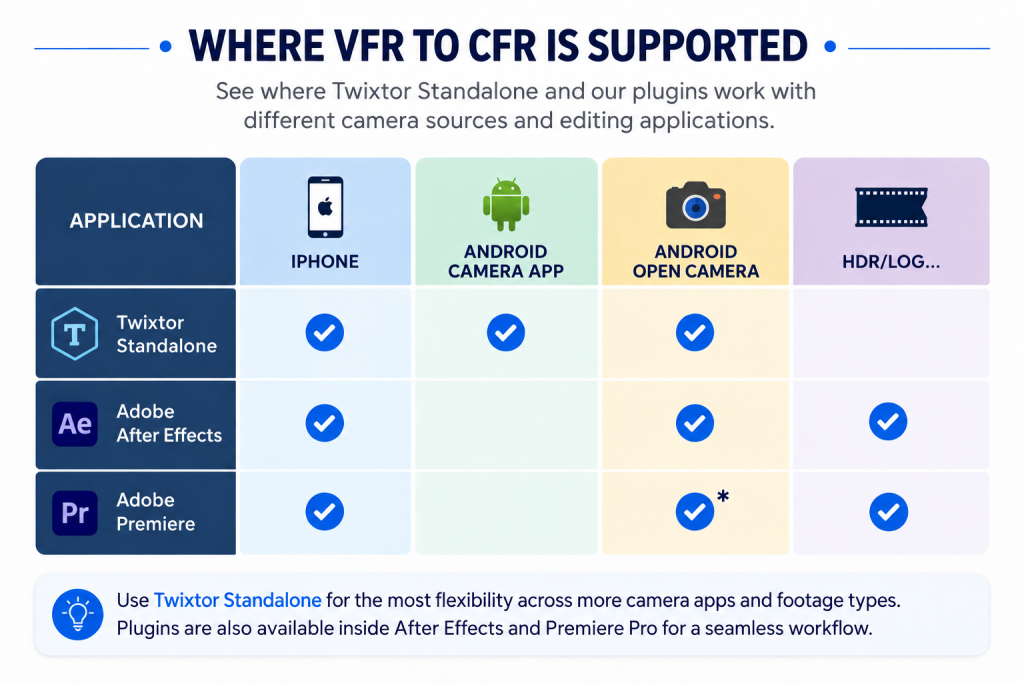
Please refer to documentation for Gotchas. For example, in Premiere this workflow does not work with integer frame rates (24,30,60,…) as Premiere then does not allow us to index frames at a sub-frame time location. You need to work with 23.976, 59.940, 29.970… We filed the bug :). We have not tested all recording apps that phones hardware always do timestamping VFR. Also, most third-party phone apps might be using the OpenSource OpenCamera as starting point.
Note adding Twixtor to all your clips will slow editing interaction. Premiere users might want to render an intermediate and use the CFR render to edit instead. We suggest for mp4 if you prefer to maintain smaller footprint than ProRes mov to use about 30% more Mbps than original to avoid reducing quality by adding a second generation.
Android: On Android it’s a bit more complicated, although you can shoot slow-mo 1/8, ¼ (240, 120) it will report something like 30.02 or 29.972 etc and play slow-mo. However other apps such as the free OpenCamera can do the right thing (at least on tested Google Pixel Pro). With OpenCamera you do need to go in camera settings and set FPS to 120 or 240 FPS and then keep Speed at 1.0. Otherwise, if you use the Speed menu (1/2, 1/4/ 1/8) it will tag the file as 30P (behave like Camera App). If you regularly shoot slow-mo, one workaround is to switch to OpenCamera for slow-mo and still use Camera App for regular video (e.g. 30 or 60 FPS).
*: Make sure to set in Video Settings Video Format the codec to HEVC h265 for Adobe apps to be able to support this otherwise it won’t work.
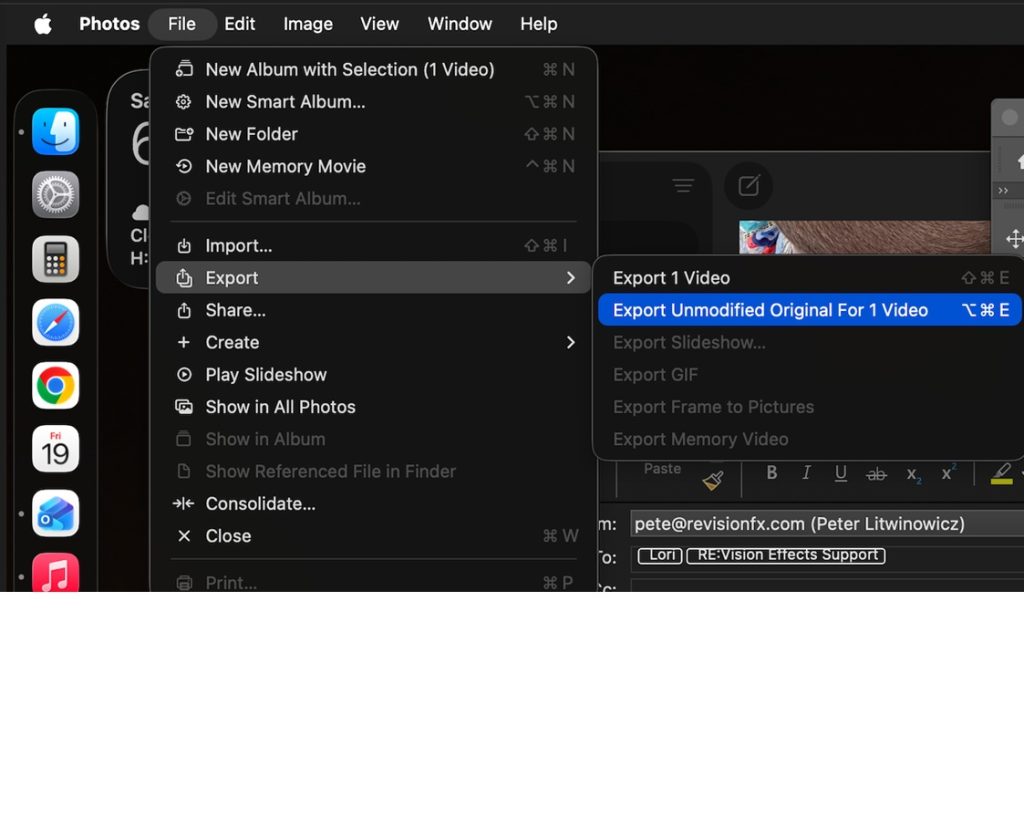
iOS: On Mac using the Camera App, if you want to maintain the actual frame rate so audio is synched and the video is not reencoded by Apple. One way on Mac is to transfer the file using iCloud transfer and when logged into your iCloud. downloaded the footage using the option “Unmodified Original”. Alternatively, if you also have a Mac as desktop, it might work to open the movie on the Mac with select the movie and choose File->Export->Export Unmodified Original.