
Twixtor the most advanced slow-mo software is now shipping as a standalone.
Twixtor App in Action
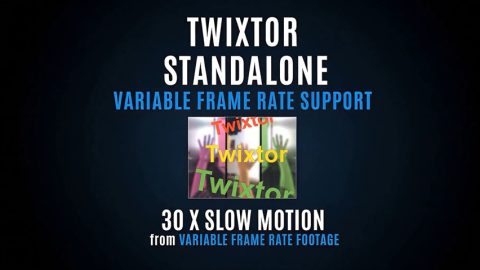
VFR
Video Shot on iPhone with slow-motion
(so Variable Frame Rate showing up as 176.1 FPS)
Then retimed with Twixtor
Provided by: Peter Litwinowicz
Twixtor Standalone Promo
Quick visual intro to Twixtor Standalone.

Twixtor in Corsica
Album of different Twixtor Standalone in use examples.
Twixtor App Features
Easy
Simple to use, drag your video, select in and out point, speed and frame rate and hit render.
Same Tech as Twixtor 8
Use same technology state-of-the art video frame interpolation as the Twixtor Plug-ins. Twixtor 8 introduced our new Machine-Learning model.
No Workaround Needed
Modify Frame Rate and Speed (slow-mo and speed-up) without special workaround needed. Total Duration automagically calculated for you. VFR supported.
Feature Specs
Quality
The Precise mode implements our Machine-Learning model, the faster processing mode implements classical Twixtor Best Optical Flow. You usually use Precise for lower frame rate like 24P and fast motion.
Codecs
Currently supports the basic video formats supported by Mac (mov and mp4) and Windows OS. For Windows: HEVC/H.265 use the official HEVC Video Extension from the Microsoft Store. For broader codec support, the free K-Lite Codec Pack is available from the official Codec Guide website.
VFR support
Properly handles video shot on phones with variable frame rates (VFR) automatically. With that you avoid stuttering and time jumps when playing back slow-mo. See documentation to properly export from your phone to your desktop for Twixtor without reencoding.
Formats supported
It does support 10bit mp4 video inputs. No known resolution limits. Does not yet handle Log and HDR (e.g. HLG) video always very well and RAW formats, you will need to use plugins version for that.
Audio Support
Option to time-stretch (speed change) or time-remap audio when using Speed Ramping – modifying the pitch to avoid the chipmunk effect. All processing in 32b float with proper pitch shift and VFR movies maintain audio sync. You can even export audio by itself.
Use to Create Intermediates
You can adjust the output bitrate when you want to create high-quality intermediates. Likely a good thing to avoid data loss to encode at 1/3 higher bitrate than source. We also provide TIFF sequence option for lossless output.
Key-Framing
Comes with a key-frame editor to create arbitrary speed ramps, and select in and out point to keep. Displays how many frames the movie will be based on speed and output FPS.
GPU - CPU
Should run on pretty much anything, of course at a different render speed. If you have higher resolution videos and a very old GPU or a tiny integrated GPU, switch to Twixtor Classic on CPU.
Download
What You Get
Version 8.1.0. Standalone application.
System Requirements
Windows 10 or 11 or Mac (Intel or Arm).
It uses about 5.5 Gb of VRAM with Precise Mode for 4K video and about 4.5 Gb of RAM.
Your render might fail or become real slow if not enough resources are available.
Purchase Twixtor Standalone
A standalone software application. Images will be watermarked if you have not purchased a license.